
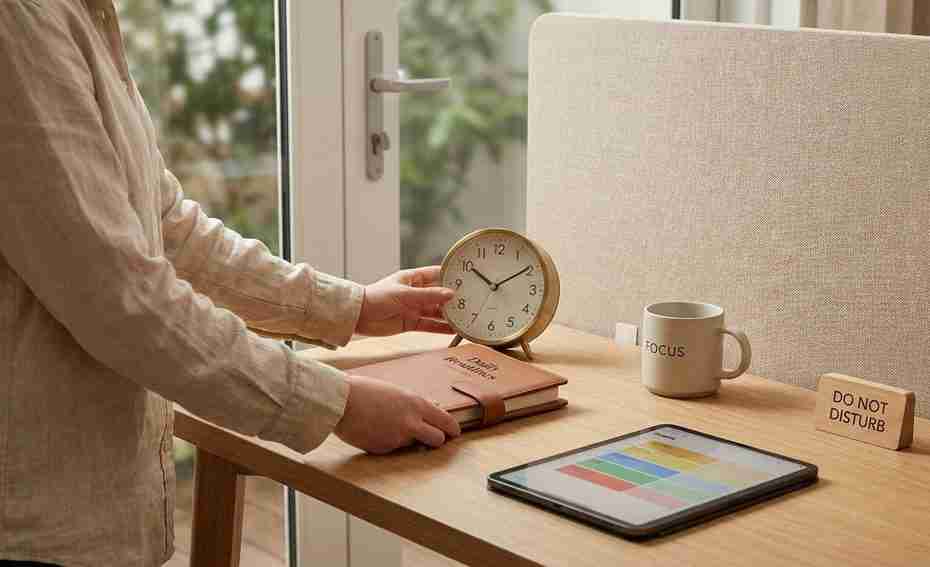
Remote work structure is the set of routines, boundaries, workspace cues, and team norms that replace the edges an office used to provide. When your home is also your workplace, resilience comes from rebuilding those edges on purpose.
Your day can start with a phone on the nightstand, move straight into messages, and end with one last task after dinner. There’s no commute, no office door, no shared signal that the day has shifted from work to life. This guide shows you how to create practical boundaries around time, space, communication, energy, and team expectations so remote and hybrid work feel flexible without becoming endless.
Why Does Remote And Hybrid Work Make The Day Feel Edgeless?
Remote and hybrid work remove the built-in signals that used to tell your brain where work began and ended. The office gave you physical distance, a commute, hallway conversations, meeting rooms, lunch breaks, and a visible end to the day. At home, those signals disappear unless you build replacements. That’s why flexibility can feel like freedom at first, then slowly turn into a day with no clear edges.
The missing edge is not just physical. It’s temporal, social, and mental. Temporal edges tell you when to start, pause, and stop. Social edges tell you when you’re collaborating, when you’re focusing, and when you’re off. Mental edges help you leave work thoughts behind instead of carrying them into dinner, errands, or sleep.
A strong remote work structure doesn’t mean copying an office schedule at home. It means designing signals that fit the reality of your life. If your office is a kitchen table, the edge may be a laptop stand, a lamp, headphones, and a closing ritual. If your hybrid schedule changes week to week, the edge may be a written plan every Friday that defines which days are for meetings, which are for deep work, and when work ends.
What Are The Hidden Costs Of Work With No Boundaries?
Work without boundaries often shows up as burnout risk, loneliness, task-switching fatigue, and pressure to prove productivity. Gallup reports that hybrid work is common among remote-capable employees, which means many people no longer have one stable work setting. Buffer’s remote work research also points to unplugging and loneliness as common struggles. Those two problems are closely tied to missing time and social edges.
Microsoft’s Work Trend Index describes a gap between employee productivity and leader confidence. Many employees say they’re productive, yet many leaders say hybrid work makes productivity harder to trust. That mismatch can create a bad cycle: managers ask for more visibility, employees stay online longer, and the workday stretches past its natural stopping point. The result is not better work; it’s more performance of work.
The American Psychological Association’s workplace research shows that work-related stress is widespread. In remote and hybrid settings, stress can become harder to spot because there’s no visible commute home, no colleague noticing your exhaustion in person, and no clear switch from “available” to “done.” If your calendar is full, your chat app is active, and your home tasks keep interrupting you, your brain keeps changing lanes. That constant switching drains energy long before the day is over.
How Do You Create A Routine When Working From Home?
You create a routine by setting a clear start ritual, a planned work rhythm, and a repeatable end ritual. The goal is to give your day a shape before your inbox, messages, and household tasks take control.
Start with a simple opening sequence. Choose a wake-up buffer that happens before work, then use one action that means “work has started.” That action can be making coffee, turning on a desk lamp, putting your phone away, reviewing your calendar, or writing your top three priorities. Keep it short enough that you’ll actually use it on busy mornings.
Build the middle of the day with time blocking instead of relying on constant availability. Put focus blocks on your calendar, add breaks as real appointments, and group shallow tasks into set windows. A good remote work routine protects attention from becoming a free-for-all. If every notification gets immediate access to you, your calendar is no longer a plan; it’s just decoration.
End the day with a shutdown ritual. Write down what you finished, what remains open, and the first task for tomorrow. Close your laptop, clear your desk surface, turn off the work lamp, or move your equipment out of sight. Harvard Business Review’s boundary-setting guidance supports clear start and stop rituals because they help turn invisible boundaries into visible actions.
How Do You Stop Remote Work From Taking Over Evenings?
You stop remote work from taking over evenings by making your stopping point visible to yourself and your team. A vague plan to “log off soon” is weaker than a named end time, a shutdown checklist, and communication rules people can see.
Start by choosing a realistic end-of-day boundary. If your work regularly runs late, set a warning alarm thirty minutes before the end of the day, not at the end. Use that time to send final messages, capture loose tasks, and decide what truly needs attention now. Most tasks feel urgent when they’re floating in your head; they become easier to defer when they’re written down in a trusted place.
Set your communication tools to support the boundary. Use status messages, scheduled send, quiet hours, and calendar blocks that show when you’re unavailable. If your team uses Slack, Microsoft Teams, or email throughout the day, don’t rely on silent resentment. State your response pattern: “I check messages between focus blocks and handle non-urgent items the next workday after hours.”
Evening boundaries work better when they include something you’re moving toward, not only something you’re escaping. Schedule movement, dinner, reading, family time, errands, or a class as a real appointment. Your brain needs a second anchor after work ends. Without it, the easiest path is drifting back to the laptop.
What Are The Best Boundaries For Hybrid Work?
The best hybrid work boundaries define where work happens, which days serve which purpose, how people communicate, and when you’re off. Hybrid needs more planning than fully on-site work because your location changes, and your habits can splinter with it.
Use office days for the work that benefits from presence. Team discussions, planning sessions, mentoring, relationship-building, and decision meetings often make better use of shared space than solo tasks. Use home days for deep work, analysis, writing, project execution, and tasks that need fewer interruptions. This gives your hybrid work schedule a purpose instead of turning it into a commute lottery.
Protect fairness by making decisions visible. If the people in the office make choices informally, remote teammates can lose access to information and influence. Write decisions down, share notes, and name owners after meetings. Visibility should come from work output, shared records, and clear ownership, not from who happened to be near a conference room.
For your personal routine, create location-specific cues. Office days may begin with a commute playlist and end when you pack your bag. Home days may begin with a desk setup and end with a walk around the block. The cue matters less than the repetition. Your nervous system learns from patterns.
How Can You Build A Separate Workspace In A Small Home?
You can build separation in a small home by using portable, visual, and sensory cues rather than waiting for a dedicated office. Separation is about repeatable signals, not square footage.
If you work at a shared table, use a setup that appears and disappears. A laptop stand, small keyboard, notebook, desk mat, and lamp can become your “work zone” during the day. At the end, pack those items into a basket, drawer, or shelf. That small reset tells your brain the table has changed roles.
Sensory cues help when physical space is limited. Use one playlist for focus, one candle or scent for work hours, one light setting for meetings, or one pair of headphones for deep work. Clothing can help too, without needing formal office wear. Changing into something that feels work-ready, then changing out of it after shutdown, creates a boundary your body can recognize.
If others share your space, make the boundary visible. A closed door works, but a lamp, sign, headphones, or calendar block can work when there’s no door. Tell household members which cues mean “available,” “focus,” and “finished.” Remote work structure becomes easier when the people around you can read the signal without asking every time.
How Do You Stay Productive Without Burning Out Remotely?
You stay productive without burning out by managing energy, attention, and recovery instead of measuring success only by hours online. Sustainable productivity needs focus periods, real breaks, workload clarity, and guilt-free detachment.
Start by separating deep work from responsive work. Deep work needs quiet, preparation, and fewer interruptions. Responsive work includes messages, approvals, quick updates, and coordination. If you mix the two all day, you’ll feel busy but scattered. Set two or three message-checking windows when possible, then protect the best part of your day for the work that needs your full attention.
Recovery is part of performance, not a reward you earn after exhaustion. Step away from the screen, move your body, eat without working, and create at least one block of non-work time that doesn’t involve checking notifications. Intentional recovery helps you return with better judgment. It also reduces the habit of using evenings as overflow for a poorly shaped day.
Watch for early warning signs. You may notice irritation at normal messages, trouble stopping, shallow breathing during work, skipping meals, Sunday dread, or a sense that every task is urgent. These signs don’t mean you’re weak. They mean your system needs firmer edges, fewer open loops, clearer priorities, or a workload conversation.
How Do Managers Keep Hybrid Teams Connected Without Micromanaging?
Managers keep hybrid teams connected by setting clear outcomes, communication norms, decision habits, and connection rituals. Trust grows when people know what matters, how to share progress, and where decisions live.
Replace surveillance with visible work systems. Teams need shared goals, project boards, written updates, decision logs, and regular check-ins that focus on blockers and outcomes. Measuring keyboard activity, online status, or instant replies pushes people toward performative availability. It also punishes deep work, which often looks quiet from the outside.
Set team norms for asynchronous communication. Asynchronous communication means people can send, receive, and respond to information without needing to be online at the same moment. Define which channels are for urgent needs, which are for project updates, and which are for non-urgent questions. Add expected response times so people don’t treat every message as an alarm.
Connection also needs design. Remote employees can feel isolated when every interaction is task-based. Add short team rituals that aren’t forced or bloated: weekly priorities, end-of-week wins, optional virtual coworking, rotating demo sessions, or office hours for quick questions. The goal is not constant togetherness. The goal is enough shared rhythm that people feel informed, trusted, and included.
How Do You Explain Boundary Needs Without Seeming Uncommitted?
You explain boundary needs by linking them to better work, clearer response times, and sustainable performance. Boundaries land better when they sound like operating agreements, not withdrawal.
Use direct, work-focused language. Say what you’re protecting, when you’re available, and how urgent items should reach you. A useful script is: “I’m blocking mornings for focused project work and checking messages at set times. If something is urgent, please mark it clearly or use the agreed channel.” That gives your manager confidence that work is covered.
Bring solutions with the request. If evenings are being swallowed by messages, propose quiet hours plus a response-time standard. If meetings prevent deep work, propose meeting-free blocks. If you’re worried about visibility, propose a weekly written update with priorities, progress, and blockers. This keeps the conversation grounded in results.
Managers may fear that boundaries reduce flexibility. Make the opposite visible. Good boundaries reduce rework, protect attention, and make availability predictable. A person who is always online is not always doing their best work. A person with clear operating rules is easier to coordinate with.
How Do You Create Structure In Remote Work?
- Set firm start and end rituals
- Use time blocking for work and breaks
- Keep one workspace cue
- Set after-hours message rules
- Schedule movement and connection
Build Edges That Protect The Work And The Person Doing It
Remote and hybrid work don’t remove your need for structure; they make you responsible for designing more of it. The strongest remote work structure gives your day visible edges around time, space, communication, recovery, and connection. Start small: one start ritual, one shutdown ritual, one focus block, one communication norm, and one recovery habit you can repeat. If you manage others, make the system clearer instead of watching people closer. Flexibility works best when it has shape, and resilience grows when your workday has a place to begin, pause, and end.
References
- Gallup — Hybrid Work: How Leaders Can Tackle The Key Challenges
- Microsoft Work Trend Index — Hybrid Work Is Just Work. Are We Doing It Wrong?
- Buffer — State Of Remote Work 2023
- WFH Research — Monthly Survey Of Working Arrangements And Attitudes
- McKinsey — Americans Are Embracing Flexible Work And They Want More Of It
- American Psychological Association — Work In America Survey
- Harvard Business Review — How To Set Better Work-Life Boundaries.